

Static ads use a still image to communicate an advertising message. A product photo with an offer, an app screenshot with a feature headline, or a comparison graphic can all qualify. Unlike video, the image itself has no motion or audio; the viewer must understand the main idea without waiting for a later scene.
That makes a static ad easy to inspect, but not automatically easy to test. If the next version changes the headline, product view, offer and audience, a better result won't tell you which change helped.
The useful sequence is: choose the campaign job, identify the evidence, select a format, name the intended variable, review the exports, and record what the result actually supports.
Compare complete creative concepts before calling them a test
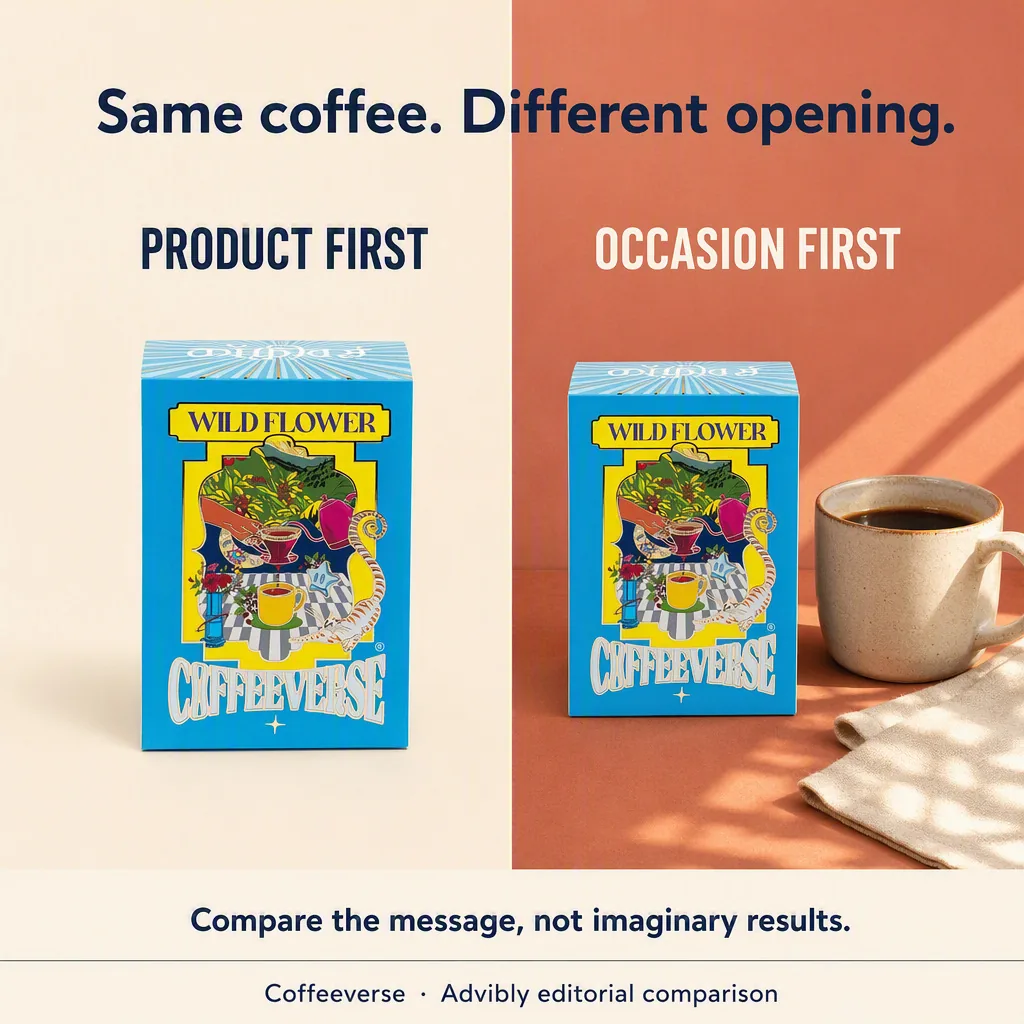
This actual Advibly-generated comparison contrasts product-first and occasion-first messaging for the selected Wild Flower coffee box. Both sides are editorial concepts, not campaign results.
Coffeeverse Wild Flower product source
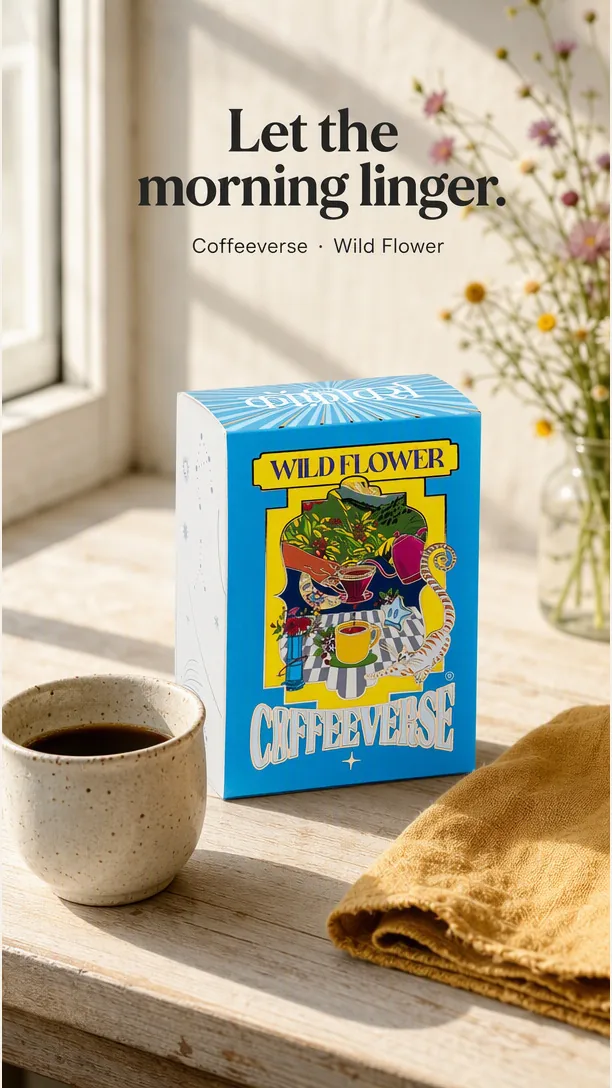
The standalone morning scene develops the occasion-led direction with a larger vertical layout. The generated cup and surrounding scene are not sensory or ingredient evidence.
These outputs change scene, framing and copy together. They help select a direction; they do not isolate the effect of one headline or establish a winner. For a controlled headline test, keep one accepted image fixed and change only the editable headline.
Supply your product reference and permitted copy to Advibly image creation. Ask for genuinely different concepts, review the actual files, then design the experiment. Generate your first creatives for free.
Key takeaways
- Choose a static-ad structure by the message and proof available.
- Separate a headline test from a comparison of whole creative concepts.
- Verify that the delivered versions changed only what you intended.
- Use the campaign's objective and experiment design to interpret results, not a universal winner threshold.
Static ads, video, carousels and dynamic creative
A video can show an action over time. A carousel uses several cards, which can contain still images or video. One static image is a different unit: it needs a clear hierarchy within one frame.
“Static” does not mean the platform cannot assemble or adapt the ad dynamically. For example, Google's responsive display format combines supplied images, headlines and descriptions. The source image can be still while the served combination changes.
This guide focuses on composed, single-image creative. If a platform builds the surrounding ad from separate assets, review its combinations and image rules too. Don't assume a headline-and-button graphic designed for a social feed is the correct input for every display placement.
Eight useful static ad formats
These are briefing patterns, not a ranking of the best static ads. Pick the row that fits the evidence you already have.
|
Format |
What it helps explain |
Evidence needed |
|---|---|---|
|
Product hero |
What the product is |
Accurate packshot or real screen |
|
Problem to mechanism |
How it addresses a real friction |
Supported product action |
|
Feature with proof |
Why one capability is believable |
Current screen, detail or source fact |
|
Offer |
Why and how to act now |
Current price, terms and eligibility |
|
Comparison |
Which option fits a need |
Fair criteria and comparable facts |
|
Social proof |
What a real source says |
Authorized quote or result in context |
|
Before and after |
What changed and why |
Typical, supported states |
|
Launch |
What is newly available |
Real release, product and destination |
Inspect the structures, not just their names
Product hero
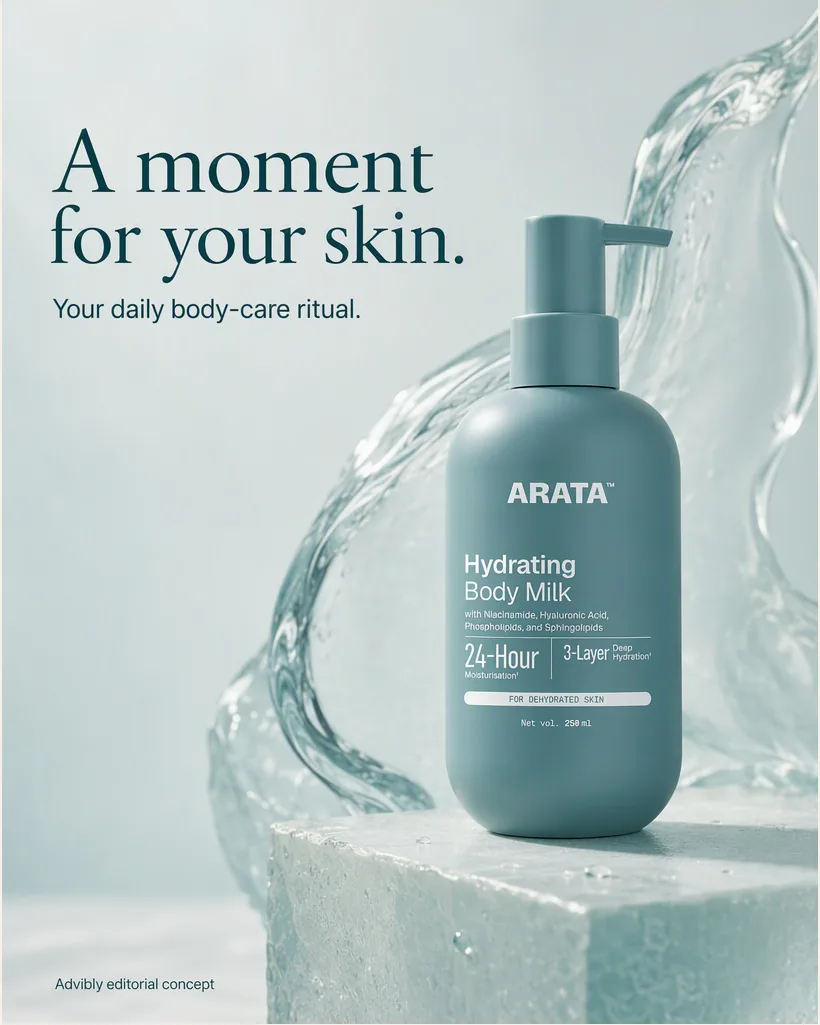
Art direction helps a single product read. The water is scene styling, not a product claim.
Illustrative offer
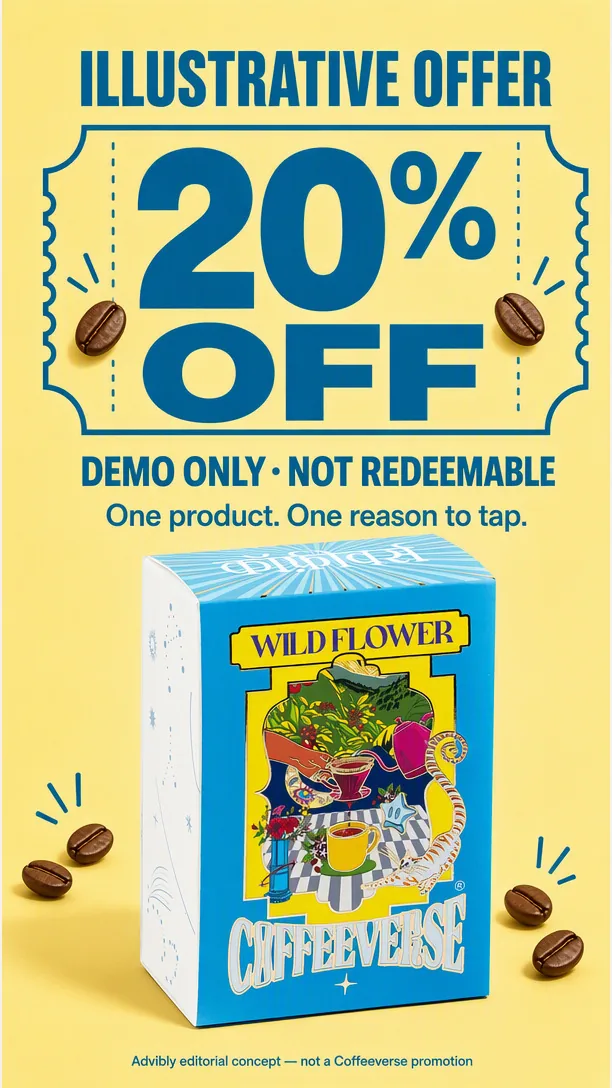
The discount is not redeemable and not a real brand promotion. A live version needs verified terms.
Launch creative
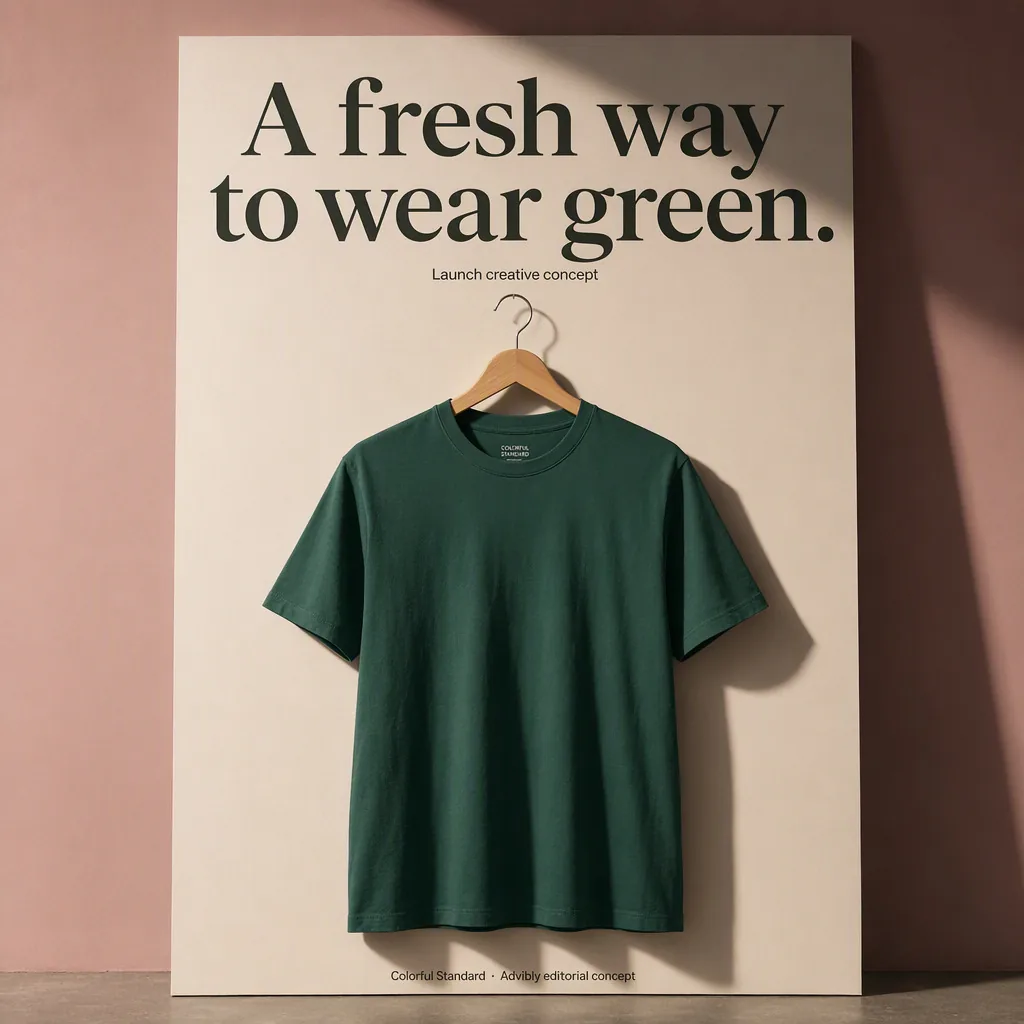
A new visual can use a launch structure without inventing a product release. This one is marked as a concept.
A launch card that answers three questions
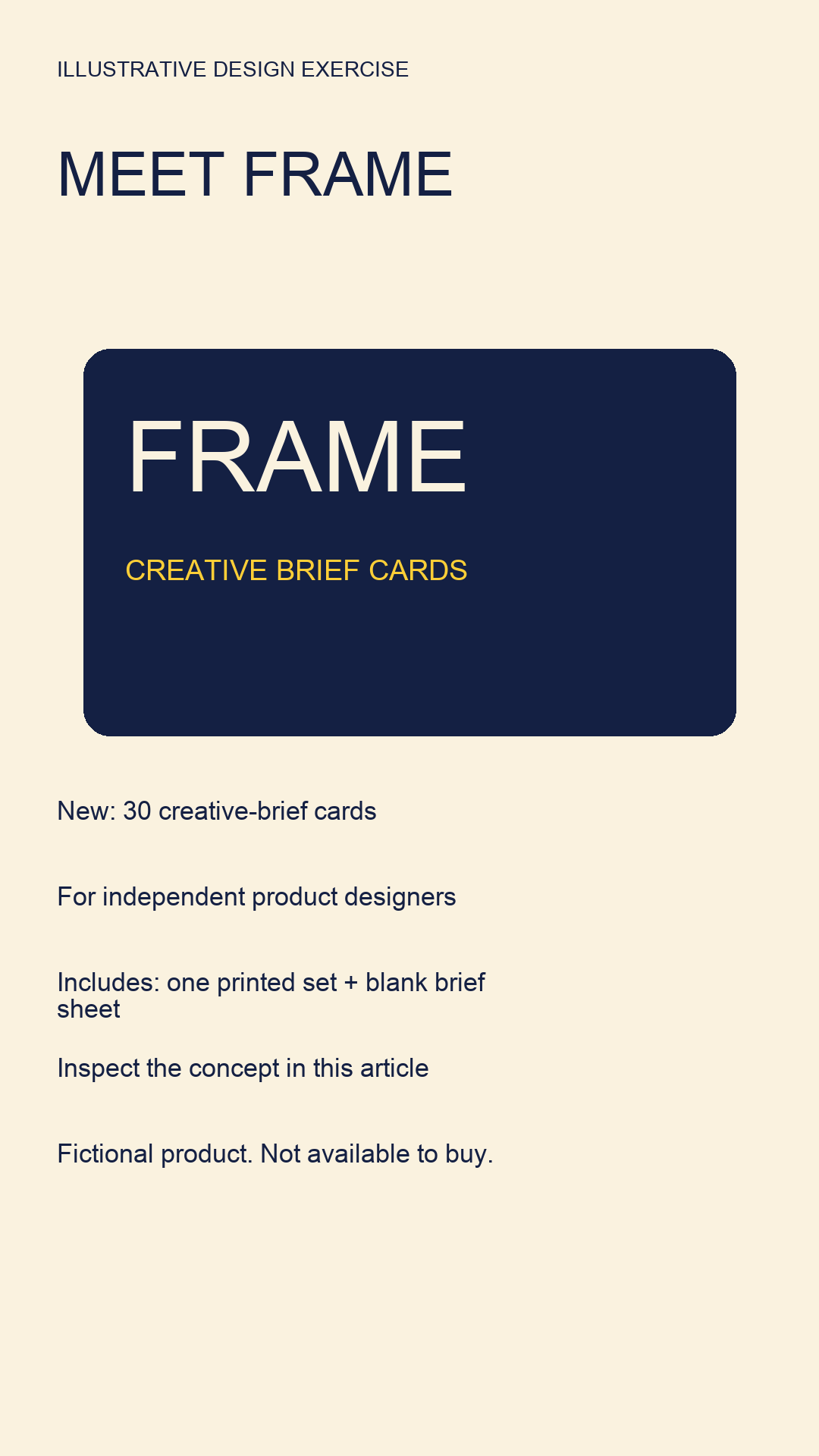
Open the exact fictional launch image.
This fictional FRAME launch names what is new, whom it serves and where to inspect the concept: this article. It is not a real release or purchasable product. Build a live launch card from verified release facts and the actual destination; a decorative product name alone does not answer those questions.
Before and after creative production
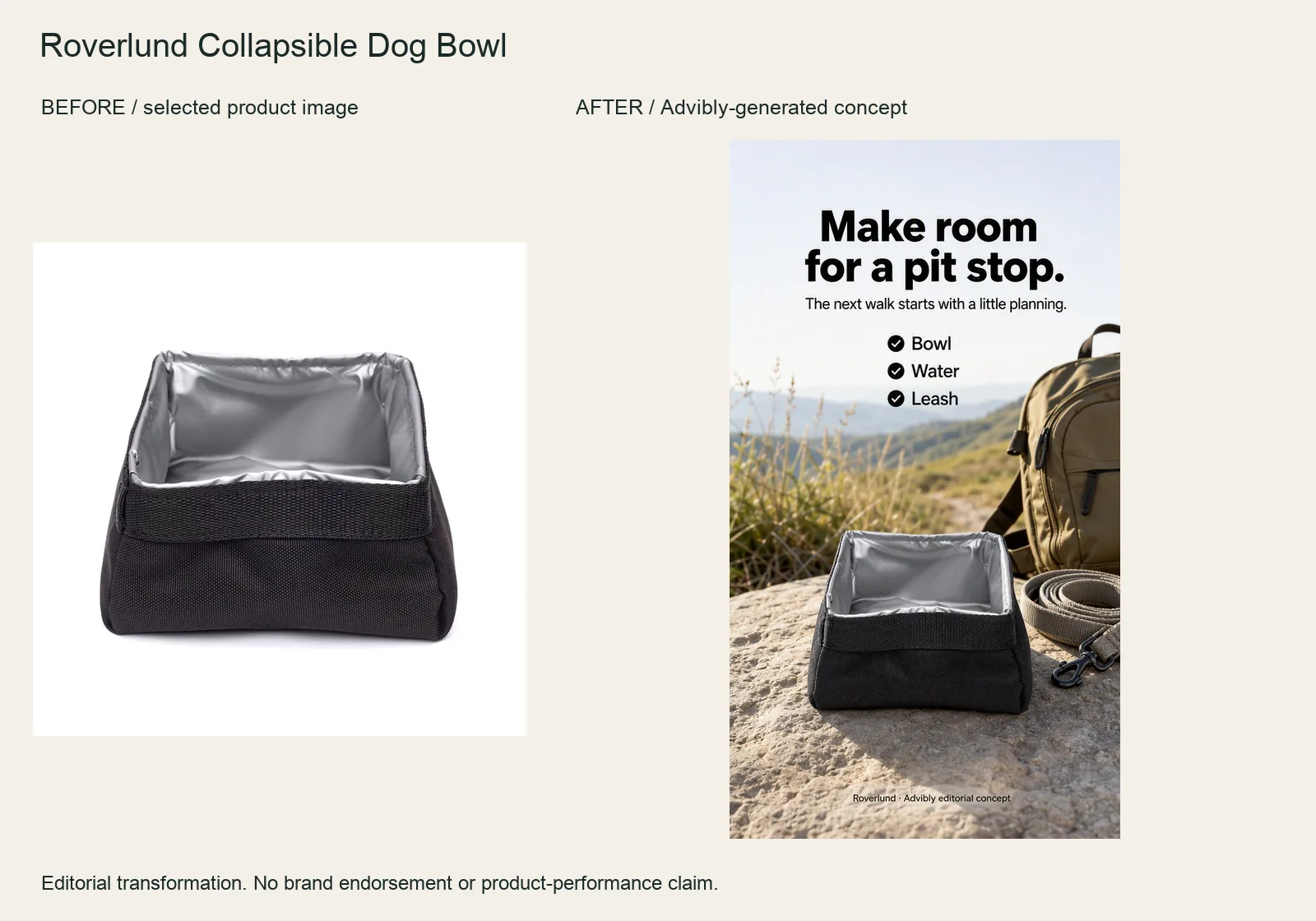
The actual packshot was the reference for the native generated ad. This is a change to the advertisement, not a before-and-after result from using the bowl.
If a product has no authorized review, mark social proof as unavailable. If its effect cannot be substantiated, skip the before-and-after format. A template is not a reason to invent the evidence it needs.
What a product example can teach
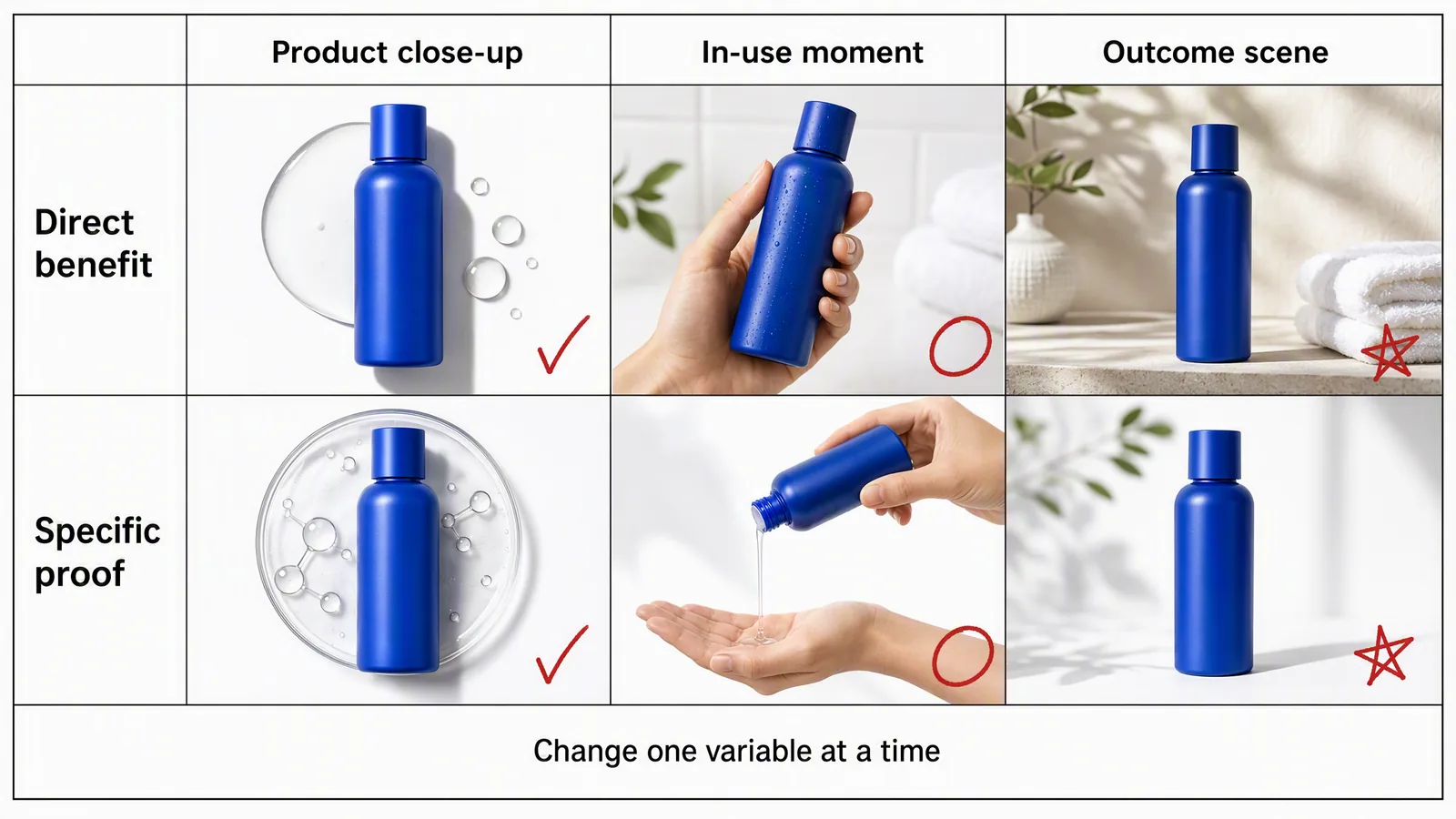
Editorial blue-bottle illustration, not a measured campaign or verified product result. The close-up, handling and bathroom scenes vary in several visible ways. “Direct benefit,” “specific proof” and “outcome scene” are diagram labels, not evidence of efficacy. Symbols are annotations, not approval or winner ratings.
The close-up emphasizes the pack. The in-use scene adds handling. The bathroom setting places the object in a routine. Droplets or a molecular-looking texture do not prove a skincare benefit, even when the row is labeled “specific proof.”
Treat this as a set of possible directions, not a clean one-variable experiment. To adapt one to a real SKU, use the accurate product source and a supported claim, then name exactly which visual property the comparison will change.
Here are two other sample briefs, not customer campaigns:
- Meal-planning app: a real plan screenshot with “Your weekly dinner plan, in one place.” Verify that the app actually provides that view; don't generate plausible controls.
- Coffee launch: the real bag, the supplied roast or origin, and an approved launch offer. Verify pack size, price, terms and destination before adding the CTA.
These briefs give one frame a job. Neither needs a gallery of unrelated benefits.
Write the test question before generating variants
A useful hypothesis names the audience, proposed change, desired outcome and reason:
For busy parents evaluating a meal-planning app, a headline about organizing the week will produce more completed plan setups than a headline about recipe variety, because the immediate problem is deciding what to cook.
This is a proposed hypothesis, not a result. It also assumes the app supports both planning and recipe choice. Replace the premise if the real product does not.
Be precise about the unit of change. “Proof treatment” can hide a new headline, screenshot, layout and claim. That is a bundle of creative changes even if the team gives the bundle one label.
Headline test or concept comparison?
|
Comparison |
What changes |
What the result can address |
|---|---|---|
|
Headline test |
Exact headline copy only |
Relative response to those messages in that setup |
|
Proof test |
Evidence treatment, with other fields held |
Relative value of those proof treatments |
|
Concept comparison |
Several creative elements together |
Which complete direction merits further work |
|
Format comparison |
Still image versus carousel or video |
Fit of the complete format treatment |
A concept comparison is useful. It can also be run as a properly designed A/B experiment. What it cannot do is isolate the effect of one component inside the winning concept.
Likewise, uploading two headline variants to an ordinary ad group does not automatically create a controlled experiment. Delivery may favor one version or expose them to different conditions.
Worked test: two headlines, one app screen
Suppose the meal-planning app's supplied documentation confirms a weekly plan view and recipe selection. Use the same authentic screenshot, brand system, body copy, CTA and destination in both exports.
- Version A: “Plan the week's dinners in one place.”
- Version B: “Choose the week's dinners from new recipes.”
The intended change is headline framing: organization versus variety. Both lines describe supported functions, not a promised time saving or guaranteed relief. Keep the headline box, font size, placement and background the same. If one line wraps differently, shorten it or record the changed layout as an additional variable.
Hold the offer and destination constant. Do not add a discount to B or move A to a different audience and still call it a headline-only comparison.
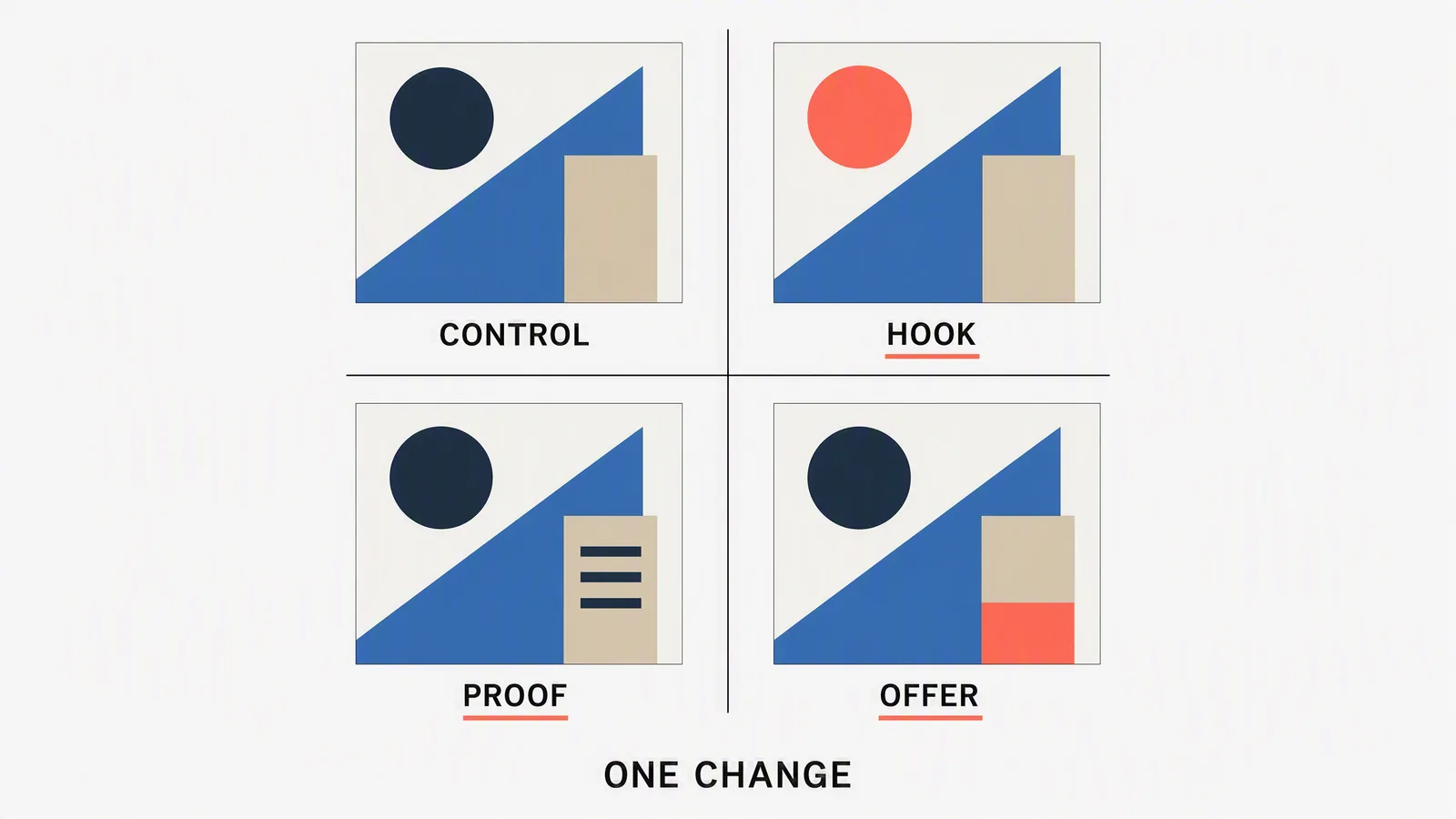
Schematic illustration of separate variant categories, not the actual app exports or measured results. Compare a declared variant with its control; changing hook, proof and offer together would create a concept bundle. The geometric shapes are not product evidence.
Before launch, compare the actual exports side by side. A prompt saying “change only the headline” is not a guarantee: a generator might alter a button, screen detail, logo or product shape too. For exact isolation, reuse the accepted base image and change its text layer in an appropriate editor.
Define success before the numbers arrive
For this example, choose completed first-plan setup as the primary event if it is correctly instrumented and relevant to the business. Track its cost alongside event quality. Use outbound clicks and landing-page views to diagnose the path, not to overrule the chosen outcome after the fact.
The media owner should set the experiment's budget, minimum information requirement, observation window and decision rule. There is no universal number of clicks or days that makes every campaign conclusive. Sparse conversions may leave the test inconclusive; a more frequent proxy changes the question and should be chosen explicitly.
Keep a copyable variation ledger
The following is an editorial planning specimen, not an Advibly interface or live campaign record. Asset names are illustrative.
|
Field |
Example entry before launch |
|---|---|
|
Asset IDs |
meal-headline-A-v1; meal-headline-B-v1 |
|
Audience |
Same defined parent audience in both arms |
|
Offer |
Same verified offer and eligibility |
|
Angle |
Weekly organization versus recipe variety |
|
Proof |
Same current weekly-plan screenshot |
|
Headline |
Exact A and B lines above |
|
Visual system |
Same layout, colors, type and product crop |
|
CTA and URL |
Same approved action and landing page |
|
Placement |
Same selected placement and export shape |
|
Spend and window |
Media owner to approve before launch |
|
Primary metric |
Cost per completed first-plan setup |
|
Intended variable |
Headline copy only |
|
Result and next step |
Not run; no winner declared |
Add the actual platform test ID, source versions and exported-file references when they exist. After the test, append the observation period, outcomes, uncertainty, tracking issues and next action. Never replace the original hypothesis with a better-sounding explanation of the result.
If the team changes the offer midway through a run, mark the affected period and reassess the comparison. A spreadsheet that hides that change gives a false sense of precision.
Choose metrics that match the ad's job
|
Job |
Useful diagnostic |
Check alongside it |
|---|---|---|
|
Earn a click |
Outbound CTR |
CPC, impression count and traffic quality |
|
Deliver a visit |
Landing-page views per outbound click |
Loading, redirects and tracking loss |
|
Drive an action |
Cost per valid result |
Event count, value and attribution settings |
|
Investigate decline |
Cost and CTR over time |
Frequency, audience, auction and offer changes |
Specify denominators. “Conversion rate” could mean conversions per click, session or visitor; those are not interchangeable. Define the event and attribution window consistently across versions.
For example, a higher click-through rate with fewer valid plan setups may indicate that a headline attracted the wrong expectation. It may also reflect tracking or delivery differences. Inspect those possibilities before crediting or blaming the copy.
Use the platform's appropriate experiment tools when causal comparison matters. TikTok's split-test documentation, for example, describes separating audiences so each group sees one ad group while other variables are held constant. That explains the distinction between a structured test and ordinary delivery; it is not a claim that this exact static format is available in every TikTok placement.
Review each static ad at its actual viewing size
Open the export at a realistic feed size, not only enlarged on a design monitor. The product, message and next action should remain understandable.
- Truth: current product, screen, price, offer and claims.
- Proof: attributable reviews, fair comparisons and supported transformations.
- Hierarchy: an intentional reading order rather than competing headlines.
- Legibility: readable copy and qualifications without zooming.
- Crop: product, message and required disclosure survive each placement.
- Rights: appropriate image, font, logo and likeness use.
- Destination: the landing page matches the advertised promise.
- Test fidelity: the exported asset matches its declared variable.
Google's generated-image guidance also requires advertisers to review accuracy and policy compliance before use. Generating an asset inside an advertising product does not guarantee approval.
A square and a vertical crop can move the emphasis substantially. Review each as its own export. Do not combine results across placements and assume the original visual treatment stayed identical.
Create controlled directions with Advibly
Use Brand Intelligence and saved product context to collect the relevant facts, audience language and source assets. Keep the approved offer current. Reuse the real screenshot or packshot from the brand library instead of generating a replacement for evidence.
The AI image-ad workflow accepts product and brand context, references and art direction. Its public page describes comparing directions and exporting supported shapes. A broader static-ads skill can help organize sourced concepts before rendering.
For the meal-planning example, ask for two concepts around the approved messages first. Select the base layout, then create the controlled exports. If generation changes unrelated details, repair the assets before counting them as a valid pair. Save the exact approved files and their source references, not only the prompts.
Keep the brand kit consistent as the campaign develops. An approved static message may later become a carousel that explains the mechanism or a short video that demonstrates it. That is a new format treatment to evaluate, not evidence that the original headline wins everywhere.
Advibly supports social scheduling, publishing, post-status tracking and analytics after release approval. Those operations can continue an organic campaign. Paid-media setup, spend and experiment results remain in the appropriate advertising system; social publishing is not the same as running a paid A/B test.
Turn the result into the next useful question
If the organization headline produces a credible improvement under the agreed test, retain it and investigate the next uncertainty, such as the proof screenshot. If the result is inconclusive, don't manufacture a winner to keep the production calendar moving.
If a completely different concept wins, keep the concept-level conclusion. A follow-up can isolate its headline, image or offer. The point is to accumulate decisions you can reuse, not to generate a new mood board every week.
Static ads FAQs
Are static ads better than video?
Not universally. Use a still when one frame can carry the message; use motion when the action or sequence matters. Compare the actual treatments for the intended audience and objective.
What makes a comparison static ad fair?
Relevant criteria, current facts, consistent units and visible qualifications. Don't compare one vendor's monthly price with another's annual commitment or omit a condition that changes the decision.
How many variants should I make?
Enough to answer the question within the available testing resources. Two interpretable versions can be more useful than many unrelated changes with too little delivery to evaluate them.
Can I use a generated customer review card?
Only if the underlying statement is real, attributable, authorized and accurately presented. Generating the layout does not create the customer experience or permission.
Sources
Official specifications, product guidance and production accounts checked for this article. Vendor accounts describe their own work; they are not independent performance tests.