

An AI UGC video generator turns a product brief into creator-style video, not real customer experience. See the complete Coffeeverse example below: a product source, five assembled creator segments and a permanent non-testimonial disclosure.
Advibly's UGC Ads workflow can carry product context through script, creator, storyboard, clips and assembly. The existing example shows a finished output rather than promising a film that has not been made.
Watch the finished example with its source beside it
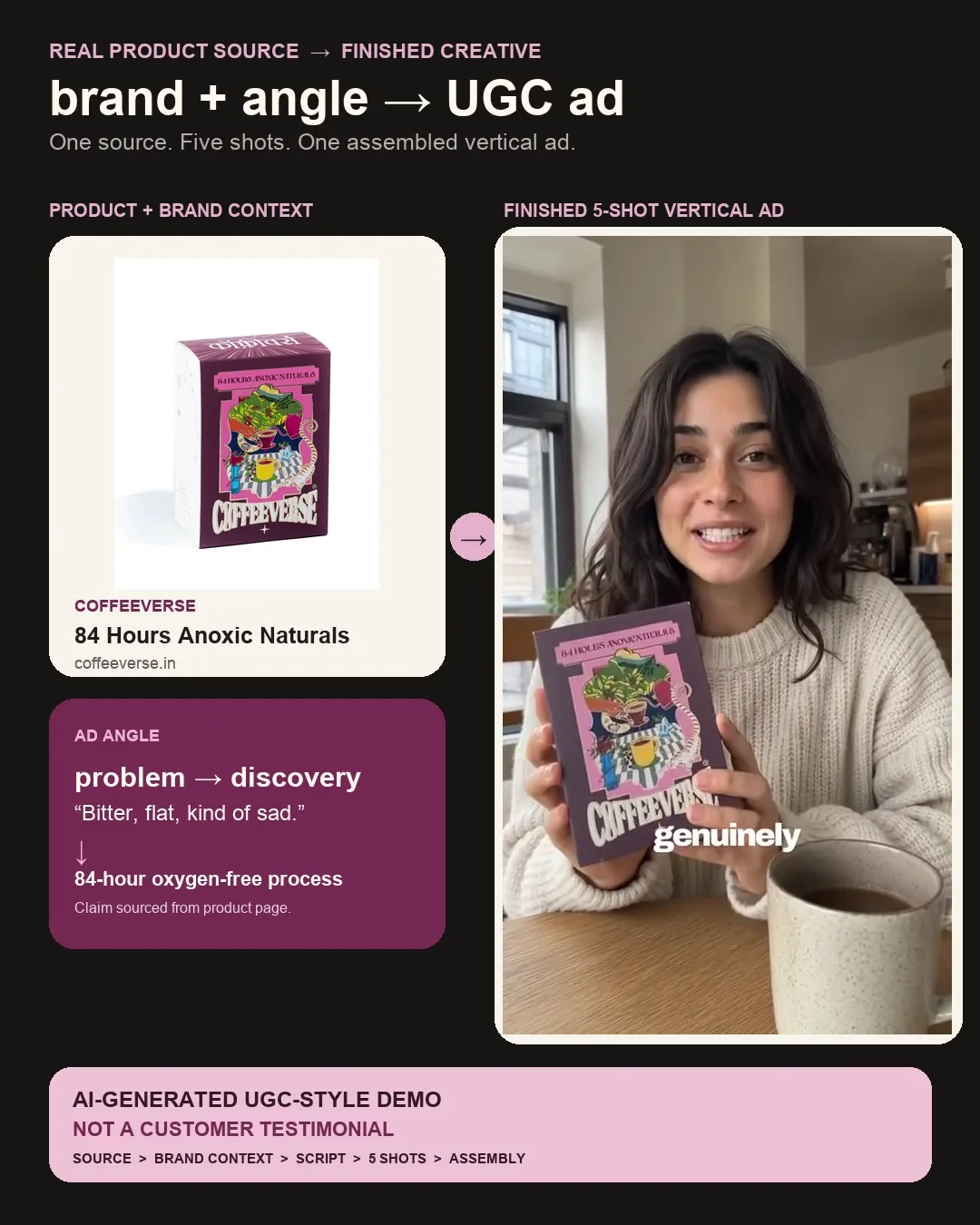
Watch the complete forty-second Coffeeverse source-to-output example (MP4). The wrapper keeps the source product visible beside the moving creator footage and labels the film AI-generated UGC-style—not a customer testimonial.
The input is the Coffeeverse 84 Hours Anoxic Naturals product page and pack image. The underlying film is an existing example associated with Advibly's UGC Ads skill; this article did not run a new five-clip generation. Original storyboard frames and per-shot generation receipts are not available here, so the visible sequence is output evidence rather than an end-to-end execution log.
What the five-shot sequence makes visible
The presenter appears with the branded pouch in changing settings and camera positions, including a close product hold, a seated explanation and a brighter near-window setup. The product is carried through the scene changes instead of being introduced only on an end card. Watch the full film to judge whether those cuts support one message.
The source-to-output wrapper separates three things worth retaining in your own brief: the actual product, the chosen creative angle and the finished export. A list of clip IDs would not let a reader inspect product handling, continuity or pacing.
Do not copy the testimonial implication. The synthetic creator's subjective taste and first-person language is scripted, not verified customer experience. This example is presented for analysis of creator-style production, not as a testimonial, sensory test or Coffeeverse endorsement. Disclosure does not make invented experience suitable for a real ad. For your own film, use factual explanation or genuine authorized testimony instead.
Turn that observation into your own production brief
- Supply a current product page, cleared pack image and one message the source actually supports.
- Write the evidence-bearing shot first. For packaging, show the accurate pack clearly. For a real mechanism, use authentic footage rather than simulated handling.
- Choose a fictional or consented creator and write narration that does not invent personal use. Keep product facts separate from creative tone.
- Review the script and storyboard before making clips. Check identity, wardrobe, product shape and label visibility across the sequence.
- Inspect the assembled export with sound and without it. Review product handling, speech, captions and required disclosure on the actual file.
Start with the UGC Ads workflow when a presenter helps explain your product. Generate your first creatives for free. Starter credits do not promise a free complete five-shot campaign; cost depends on the selected outputs and revisions.
The notebook script later in this guide is a separate planning exercise. It is not the script or provenance of the coffee film above.
Key takeaways
- Choose the proof moment before choosing a creator.
- Reuse approved product assets; generate only the scenes the ad is missing.
- Give each shot one purpose and one manageable action.
- Check claims, product fidelity, rights and disclosures on the final export, not only the script.
What counts as AI UGC?
AI UGC usually means synthetic or AI-assisted media presented in the style of user-generated videos: casual framing, direct address, a product demonstration and readable captions. It can combine a fictional presenter, a consented digital likeness, real product footage and generated scenes.
Call synthetic work UGC-style or creator-style. A real customer testimonial depends on an actual person's experience and permission. An invented speaker saying “I used this for a month” is not harmless conversational flavor if nobody did.
A factual explanation can still feel human. “Here's how the lid opens” sets up an inspectable action. “This changed my mornings forever” invents an experience unless an authorized real person supplied it.
Choose a format that your evidence can support
|
Format |
Evidence to bring |
Change approach if… |
|---|---|---|
|
Product-in-hand demo |
Correct product and faithful use |
The render changes the label or handling |
|
App walkthrough |
Current screens or an authentic recording |
The interface would have to be invented |
|
Unboxing |
Accurate packaging and included items |
Generated contents differ from the real pack |
|
Narrated explainer |
Approved facts and relevant product visuals |
The script needs an invented personal result |
|
Customer testimonial |
A real, attributable and authorized statement |
There is no genuine experience to quote |
A creator is optional when the product action does the explaining. For an exact screen interaction, put the real recording in the proof shot and use the presenter around it. For a consumable, a simple hold-and-show scene may communicate the packaging more reliably than simulated eating or drinking.
Build the smallest useful brief
Open the correct brand and project, then inspect its existing assets. A current packshot, approved product clip or usable creator reference can remove unnecessary generation. Confirm rights and suitability before reuse; being present in a library is not itself permission for every advertising use.
The brief needs six decisions:
- Audience and situation: who should recognize the problem?
- One supported message: what can the supplied source establish?
- Proof moment: what will the viewer actually see?
- Creator boundary: fictional or consented identity, voice and allowed use.
- Destination: the exact next action, current offer and required qualifications.
- Approval and spend: who approves the script, storyboard, cost ceiling and release?
Keep source versions with the brief. If a product page changes its offer, the old script does not remain accurate just because its storyboard was approved yesterday.
Worked example: a five-shot notebook ad
Here is an illustrative script, not a generated or approved campaign. Suppose a notebook brand's current product information confirms a plain blue cover and unruled pages. The audience is people who sketch ideas before writing them up. The message is simple: the blank spread provides an open drawing space. No productivity improvement, paper-performance claim or personal testimonial is assumed.
The proposed cut is five eight-second scenes, about 40 seconds before editing. Those allocations are planning targets. Read the copy aloud and shorten it where natural delivery or the product action needs more room.
|
Shot |
Spoken line |
Visual job |
|---|---|---|
|
1: Hook |
“Some ideas start as a sketch, not a sentence.” |
Fictional presenter beside a closed notebook |
|
2: Situation |
“A box, an arrow, a rough shape. Give the idea room before you write it out.” |
Hands-only view of an actual sample sketch |
|
3: Product |
“This notebook has a plain blue cover and unruled pages.” |
Accurate packshot and open spread |
|
4: Proof |
“Here's the page layout, close up, so you can decide if it suits how you work.” |
Real close-up showing the page and binding |
|
5: Next step |
“See the available sizes and full product details on the product page.” |
Product hold or still, with the approved destination |
Replace the generic product reference with the approved brand name in shot three. If the actual notebook is ruled, or the destination does not show sizes, revise those lines before rendering. The premise is conditional on real product evidence, not a fact about a brand in this article.
The second shot requires a real sketch asset. If none exists, commission or supply one before executing that plan. Do not make the synthetic hands draw a complex diagram merely to avoid obtaining a simple source image.
What the existing interaction clip shows
Watch the six-second notebook interaction. Synthetic hands open a fictional blue notebook in one overhead shot. It was generated with Omni Flash through Advibly; this silent derivative retains the picture with the audio removed.
This is one illustrative shot, not the five-shot ad above, a customer testimonial, a product verification or a completed campaign review. Use it to inspect the kind of action being proposed. It should not replace authentic product footage when the real notebook's binding, paper or dimensions are the evidence.
Produce the ad in reviewable stages
The current skill source, checked September 12, uses GPT Image 2 for creator and storyboard images, Omni Flash for talking clips, and Advibly's composition tool for assembly. It groups the run in one project and returns an editable composition. Follow the current source: older installation or landing-page text can describe a different assembly route.
Approve the creator and script first
Choose a fictional person or an authorized likeness and voice. Record the applicable channel, territory, duration, paid-use and editing permissions. Review the generated identity too; an instruction to make someone fictional is not a guarantee against resemblance.
Read every spoken line, caption and implied outcome against the source. Select a demonstration or factual narration angle when no real testimony exists. A preset called “testimonial” does not authorize an invented customer story.
Review the five storyboard frames together
The skill uses a creator reference and relevant product references to build opening frames. Check the sequence for consistent identity, wardrobe and product appearance, while allowing intentional scene changes. Each frame should make its shot's purpose clear before motion begins.
In the notebook plan, the product-close-up frame must leave the page visible. A beautifully framed face that covers the binding fails the proof shot. Fix the composition at the storyboard stage instead of hoping motion will reveal the missing detail.
Generate, inspect and assemble
Animate accepted frames into clips, then inspect the actual motion and speech. The documented workflow cautions about shot-to-shot voice variation, garbled small labels and difficult hand-object interactions. Design around those risks rather than treating another render as the only remedy.
|
Defect |
Sensible repair |
|---|---|
|
Product label changes |
Enlarge the faithful reference or use authentic footage |
|
Fingers pass through the object |
Simplify the action or replace the proof shot |
|
Creator identity changes |
Repair the relevant start frame and its dependent clip |
|
Voice shifts across cuts |
Review the full sequence; choose a controlled voice route if essential |
|
Correct clips, broken final export |
Diagnose assembly without discarding accepted source clips |
Preserve successful work. If one clip changes length, recheck dependent captions, transitions and audio timing. If a job remains pending, check its existing ID before submitting another paid request.
Review truth and disclosure as separate tasks
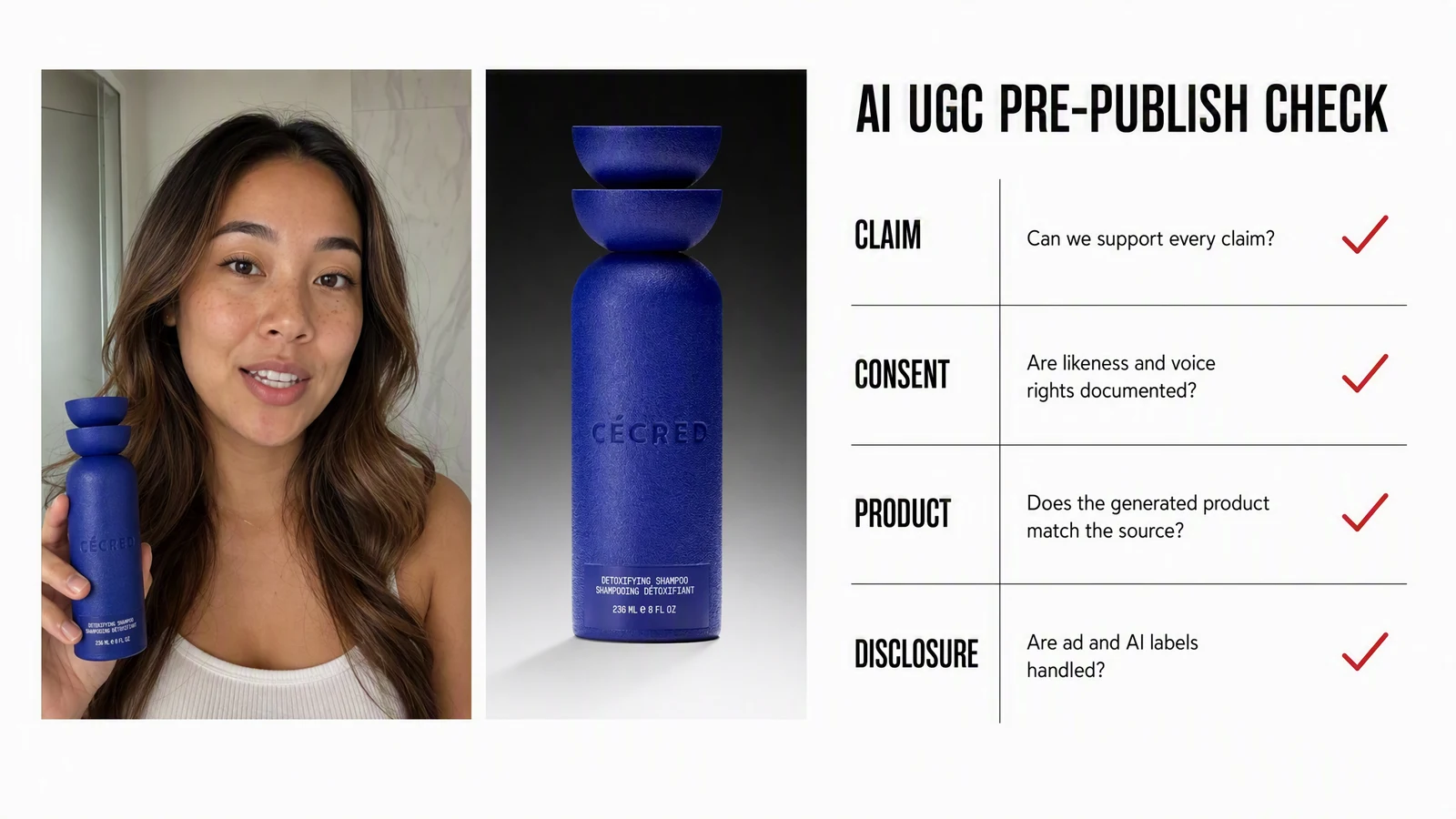
Editorial illustration, not a verified review record or endorsement by the depicted person or product brand. The four checkmarks are examples of review categories; they do not prove consent, product fidelity, claim support or disclosure. The notebook plan above is unrelated.
For US-facing endorsements, the FTC's Disclosures 101 explains material-connection disclosure and prohibits describing product experience the endorser has not had. It also warns against claims that lack the necessary support. Place required disclosure where viewers can notice it with the endorsement, rather than burying it in a profile or hashtag block.
Synthetic-media labeling is a separate requirement. TikTok states that realistic AI-generated content must be labeled. YouTube's current guidance requires disclosure for meaningful, realistic AI generation or alteration. Check the chosen destination's current upload and advertising rules; a label does not make a false claim or unauthorized likeness acceptable.
Before accepting the export, watch it from beginning to end and answer:
- Does the product match the approved source throughout the motion?
- Are explicit claims and visual implications supported?
- Are identity, voice, footage and music rights appropriate for this use?
- Are speech, captions and required disclosures accurate and intelligible?
- Do the crop and interface overlays leave the proof and CTA visible?
- Does the destination deliver what the ad promises?
Check sound-on and sound-off use where relevant. Captions should reflect actual speech and meaningful sound, not decorate the scene with a different sales claim. Approve the final file by reference or version so a later edit cannot silently inherit an earlier approval.
Which AI UGC video generator should you shortlist?
We publish this guide as Advibly, one of the options. The following are editorial fit judgments from current product documentation, not measured realism, conversion or cost rankings.
|
Tool |
A useful reason to evaluate it |
|---|---|
|
Product-page-to-video and batch ad variations |
|
|
Actor-led ads, voice changes and video revision tools |
|
|
Product-in-hand generation and in-product editing |
|
|
Presenter-led explanations, avatars and localization |
|
|
Advibly |
Reuse one brand context across UGC-style video, other creatives and publishing |
Shortlist two tools around the hardest requirement. Supply the same approved packshot, script, duration and simple action. Check product fidelity, speech and the effort required to replace a failed shot. For an app, compare the presentation around a real screen recording. This is a proposed evaluation, not a test we have performed across these vendors.
Compare the cost of an accepted ad
Credit counts are not comparable currencies across providers. Request a quote for the same finished deliverable: length, aspect ratio, export quality, creator or voice rights, captions, assembly and one revision. Include rejected renders and manual finishing time.
Promotional entry prices are not recurring plan prices. Check renewal terms, expiration, overage and feature entitlements at checkout. For Advibly, review the current plans and count the required images, clips and assembly, with a retry ceiling. There is no verified cost-per-ad winner in this guide.
Turn the approved video into a controlled campaign
Advibly can reuse the same product context for a static companion, carousel or a different creative angle. Keep the approved claim and source asset consistent, but adapt the layout and copy to each format. Don't create every possible derivative by default; choose the next asset that answers a real campaign need.
Supported scheduling and publishing, post-status tracking and analytics can continue the workflow after separate release approval. Confirm the account, caption, destination and schedule, then retain the actual post reference. A queued post and a published post are different states.
Test one meaningful uncertainty at a time. Compare two hooks while keeping the audience, claim, proof, offer and destination stable. Changing all six at once makes the result hard to interpret. Use performance data to choose the next experiment, not to retroactively validate an inaccurate product claim.
Frequently asked questions
Can an AI actor give a customer testimonial?
It cannot invent customer experience. Use factual narration or a real, attributable and authorized statement, with appropriate presentation and disclosures.
Does every ad need five generated clips?
The described skill uses a five-shot structure, but the production brief should identify reusable material. A hybrid edit may use real proof footage or an existing approved asset. Five shots are a storytelling plan, not an instruction to regenerate evidence you already have.
What should the final handoff contain?
The playable export, approved script, source references, relevant editable project, resolved review notes and release decision. A list of completed clip IDs is not a finished five-shot ad.
Will a reviewed UGC-style ad perform well?
Review improves the reliability of the creative you test. It does not guarantee reach, engagement, conversions or return on ad spend.