An AI design agent can turn a product brief into a coordinated set of campaign assets: images, product scenes, ad variations and supporting social content. The useful workflow is to define the files you need, load the correct brand and product evidence, approve one direction, then produce and verify the set.
With Advibly, you can run that work directly in the portal or through a compatible AI assistant connected by MCP. Saved brand context carries across creative formats, and approved social content can continue into scheduling, publishing and post-publication review. Start with a small image campaign before adding formats that need a different production method.
A separate product-source example you can inspect
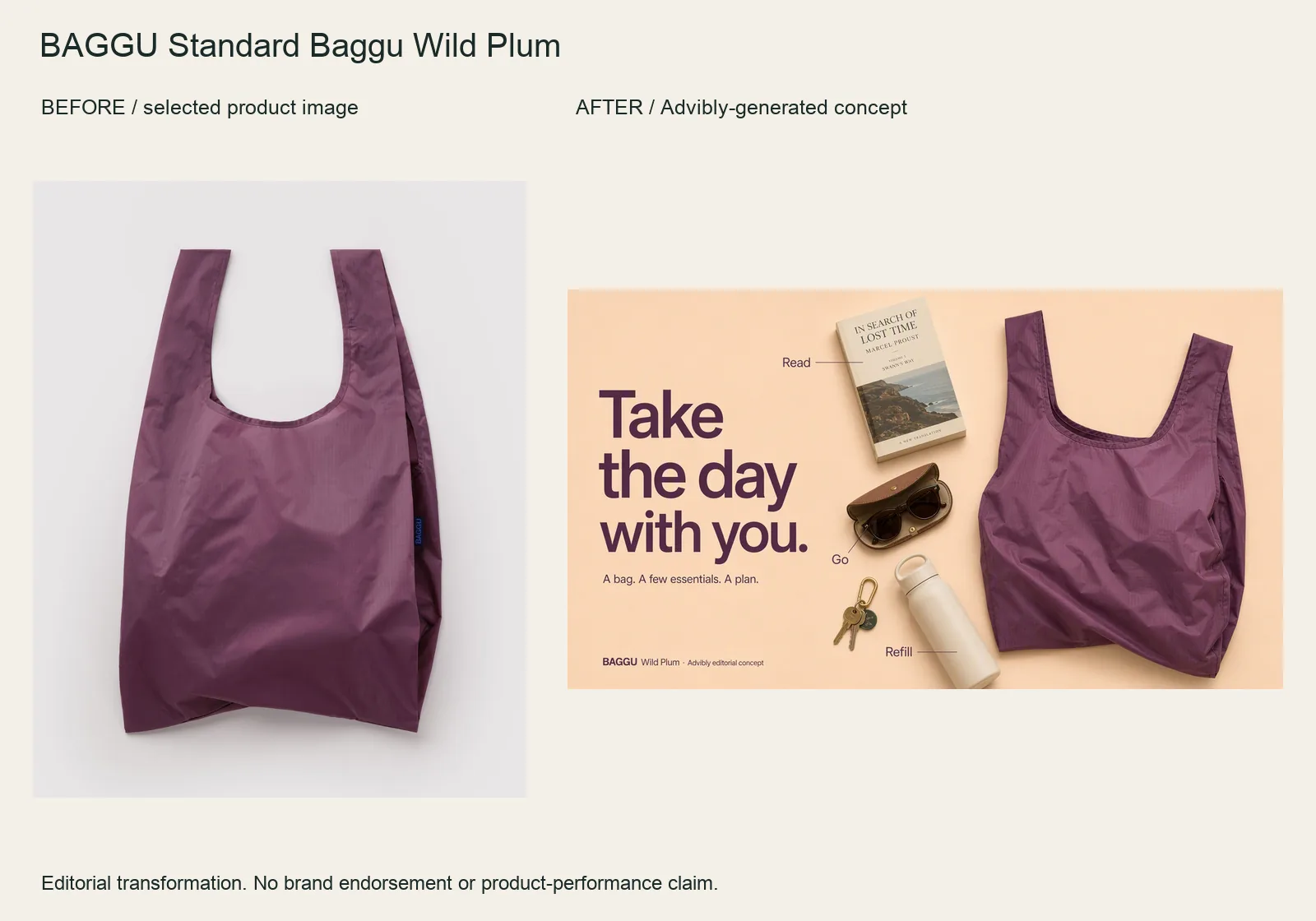
The Wild Plum bag becomes a wide flatlay with a book, bottle, sunglasses and keys. The “Read / Refill / Go” labels organize the idea rather than filling the frame with generic benefits.
Bring the bag image into Advibly and specify the objects, hierarchy and wide layout. Keep the handles, silhouette and fabric color stable. Items are arranged around the bag; this does not prove they fit inside or establish carrying capacity.
BAGGU Standard Baggu Wild Plum product source · Open the finished editorial image
This new example was generated through Advibly’s native image tool from the linked product reference. It is an output example, not proof of a Claude or Codex skill session, a full campaign handoff or social publication. The older creative family below remains a separate demonstration.
One product direction, two real campaign images
Compare these existing Advibly concept assets. The studio image makes the can the focal point through a pedestal and frozen splash; the second image turns the same unbranded design into a holiday visual. That is the useful design-agent job: maintain the product idea while changing how the audience encounters it.
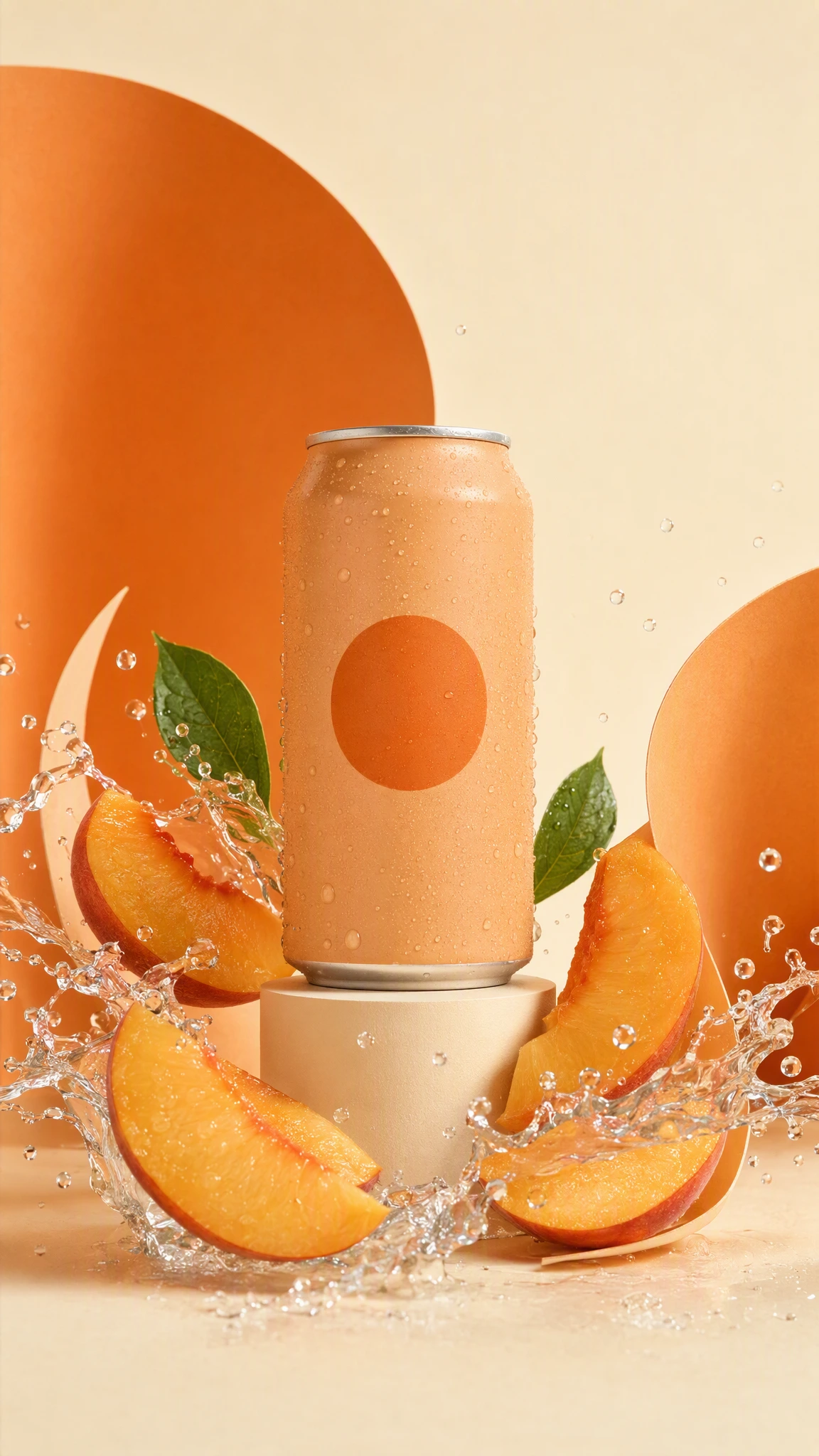
Existing 1152 × 2048 Advibly campaign image. The unbranded can, orange circle, peach slices and paper arcs are generated concept art, not a photographed product.
Actual Advibly-generated concept creative, not a real beverage, customer campaign or measured result. The examples establish output and creative choices, not a recorded Claude or Codex session.
What an AI design agent should produce
Choose an agent when you want it to coordinate a connected creative job. Choose an AI design assistant when you want to steer individual decisions and revisions yourself. Those labels aren't a reliable capability test: ask what each system can read, create, edit and return.
Anthropic's engineering guide distinguishes predefined workflows from agents that choose their own steps and tools. It recommends starting with the simplest sufficient approach. Applied to campaign production, that means giving the agent room to propose directions without asking it to reinvent the approval process or decide what your product can claim.
|
Needed output |
Useful starting assets |
Acceptance check |
|---|---|---|
|
Feature-led static ad |
Current app screenshot and approved feature statement |
The interface and claim still match the product. |
|
Studio or lifestyle product scene |
Genuine product photos and a setting reference |
Shape, packaging and proportions remain accurate. |
|
Campaign variation |
An approved concept and one named variable |
The intended hook or layout changed, not the offer. |
|
Social graphic or thumbnail |
Campaign message and destination |
The message works at its actual display size. |
Advibly's image-ad workflow supports product and reference inputs, creative directions, image revisions and placement shapes. Check the selected model's output settings before promising exact files. A finished raster image is not the same deliverable as an editable Figma document or layered PSD.
If you need interactive help rather than delegated production, the AI design assistant guide covers that decision. For a broader platform choice, use the AI creative suite guide.
Give the agent invariants, not a pile of adjectives
The archived studio prompt specifies a matte apricot can, plain orange circle, cream pedestal, peach slices, water and paper arcs. It excludes text, health claims and brand imitation. The can is synthetic, so neither image establishes a real beverage's ingredients or physical performance.
For your own campaign, supply the current product page and actual packshot. Fix the packaging, offer and allowed claims before asking for variations. Choose which decision may change: scene, angle, hook or composition. Do not leave every variable open and call the resulting mismatch a creative test.
|
Keep fixed |
Allow to change |
Inspect in the result |
|---|---|---|
|
Approved product identity and claim |
Studio versus holiday setting |
Silhouette, label and implied use |
|
One campaign objective |
Visual metaphor and framing |
Whether the image still communicates the objective |
|
Agreed final deliverables |
Supported production method |
Actual files, not just ideas |
Run a five-step design-agent workflow
1. Load the correct sources
Select the saved brand, product and usable photographs in Advibly. Reuse an existing creative if it already does the job. Brand context reduces repeated briefing, but cannot certify a stale screenshot or incorrect offer.
2. Approve the direction in words
The static-ads method proposes grounded concept cards before rendering. For this kind of job, ask for two concepts and one approved proof first, not its full default batch. Each concept should say what appears, what the copy claims and where that claim comes from.
3. Inspect the first image before making variants
Open the image at its intended display size. In the studio example, the can is legible because its silhouette is clear and the surrounding objects support it. For actual packaging, read the small text against the source. If exact UI or typography matters, place verified source material in an appropriate design tool rather than accepting a plausible redraw.
4. Change one consequential variable

A second existing Advibly output: the peach-can design on a miniature lounger under a parasol. This is a surreal holiday concept, not a real product-use demonstration.
The second archived prompt keeps the can design but puts it on a tiny lounger, under a parasol, on a peach slice in a pool. It changes the campaign's idea from a studio hero to a miniature escape. It is clearly surreal advertising concept art, not a physical-use claim.
To request this kind of variant, attach the approved image as a reference, describe the new scene and restate what must not change. Advibly's image tool accepts reference images; the agent coordinates the choice. Compare the returned can and markings yourself. Do not assume reference input guarantees fidelity.
5. Return the set, then adapt the format
The two shown originals are both 1152 × 2048. That does not make them final for every placement. The landscape example below keeps the whole portrait beside a headline instead of stretching or aggressively cropping it.
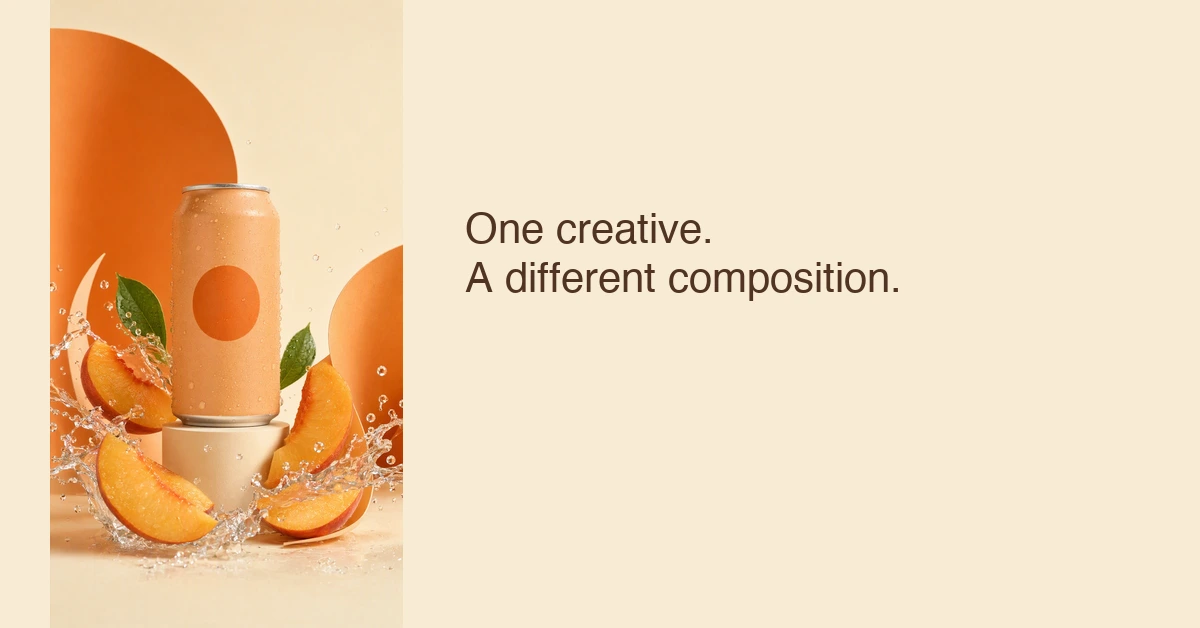
Actual 1200 × 628 editorial adaptation of the studio image. The added headline and composition are local design work, not a native Advibly overlay operation.
Keep a compact handoff: source, selected image, final export, dimensions, caption and remaining checks. For a one-image revision, name both the defect and the invariant: “Fix the unreadable label in the vertical file; keep the approved square, product claim and palette.” That is an operating instruction, not a claim of a built-in review system.
Carry the useful idea into motion
Watch the 10-second peach-can animation (silent MP4)
The existing ten-second can animation shows how the same visual direction can become motion. It is a single creative shot, not a multi-scene campaign or performance test. Choose the video route only when movement explains or dramatizes something the still cannot. Review sound and motion independently; this example's audio was removed.
Choose a different tool when the output contract changes
Use a native design-system workflow when you need editable interfaces and components. Figma's design-agent page describes canvas work with actual components, tokens, variables and connected libraries. That is a different requirement from receiving generated campaign images.
For broader branding or creative exploration, Lovart's design-agent page describes autonomous execution and guided collaboration. Evaluate it against your own brief and required exports; this article hasn't tested its output quality or reliability.
A human designer or agency should lead when the identity is unresolved, stakeholder alignment is the main problem or product claims need specialist judgment. Delegating production is useful once those decisions are clear. More automation cannot settle an unclear brief.
Generate your first creatives for free. Start with your own product source and starter credits; output quantity depends on the model and settings. Generation and social publication are separate decisions.